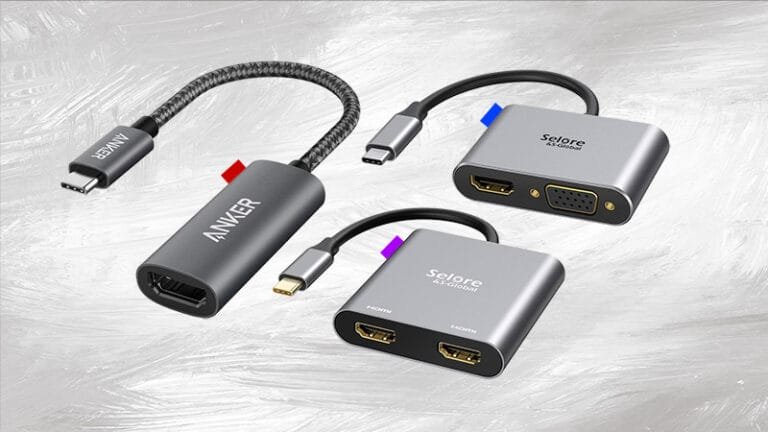
Top Ergonomic Solution for Neck and Back Pain Relief for Laptop Users by Changing Posture Using Bed Laptop Table
In our digital age, laptops have become indispensable tools for work, study, and entertainment. Here is Top Ergonomic Solution for Neck and Back Pain relief for Laptop Users because prolonged use can lead to significant neck and back pain, a common issue among computer users specially in the laptop case. This article explores how ergonomic bed laptop tables can help alleviate these discomforts by promoting better posture and offering effective solutions for pain relief.

My Unstoppable Journey
I have been working on my laptop for a long time. Once I had to work for 8 to 10 hours a day due to a big programming project. During that time, I felt severe pain in my upper back which was unbearable for me within 24 hours.
I used to believe that my chronic neck and back pain was just a normal part of working long hours on a laptop. It wasn’t until I made some significant changes to my posture and setup that I experienced real relief. If you’re facing similar issues, especially from using a laptop for extended periods, this article will detail my journey and the ergonomic solutions that made a significant difference for me using Bed Laptop Table.
Understanding Ergonomics and Posture
What is Ergonomics?
Ergonomics is a multidisciplinary science that focuses on creating and arranging workspaces in a way that best fits the physical and cognitive capabilities of the user. The main objective is to optimize comfort, productivity, and safety while minimizing physical strain and the risk of injuries.
Importance of Proper Posture or a Good Posture
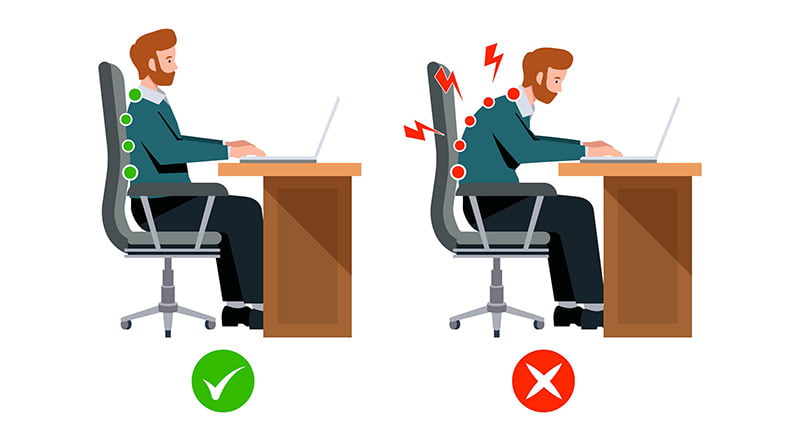
Good posture is crucial for reducing strain on the body. It involves maintaining a neutral spine position where the head, shoulders, and hips align. Poor posture, often seen with improper laptop usage, can lead to chronic pain and discomfort.
Common Posture-Related Issues for Laptop Users
Neck Pain
In simple words neck pain often arises from looking down at a laptop screen for extended periods as in my case. This forward head posture puts excessive strain on the neck muscles.
Upper Back Pain
One of the most painful experiences anyone can face is the upper back pain that I have gone through. No worries if you are suffering from the same condition. Upper back pain while using a computer or laptop often results from poor posture and prolonged sitting. When individuals remain in a fixed position for extended periods, especially with improper ergonomics, the muscles and ligaments in the upper back can become strained and tense. Slouching or hunching over a screen can exacerbate this discomfort, leading to muscle fatigue and pain.

To mitigate this issue, it’s important to adopt a well-supported seating posture, take regular breaks, and adjust your workstation to promote better ergonomics. A good ergonomic Bed Laptop Table can help you with this because almost all of your posture changes.
Shoulder and Wrist Strain
Extended periods of typing can lead to shoulder and wrist strain. Incorrect keyboard height and screen placement contribute to this discomfort.
Varicose Veins
Extended periods of sitting can cause blood to pool in your legs, putting pressure on your veins and restricting blood circulation. This can lead to swollen and twisted veins, known as varicose veins. Using a Bed Laptop Table or Lap Desk can help improve posture and leg position, reducing the risk of blood pressure-related issues. Taking breaks, exercising, stretching, and walking can also promote healthy blood flow and reduce these risks.

Introducing the Solution for Neck and Back Pain Relief (Bed Laptop Table)
What is a Bed Laptop Table?
A bed laptop table is a portable workstation designed to be used on a bed or sofa. It provides a stable surface for your laptop while allowing for a more comfortable and adjustable working position.
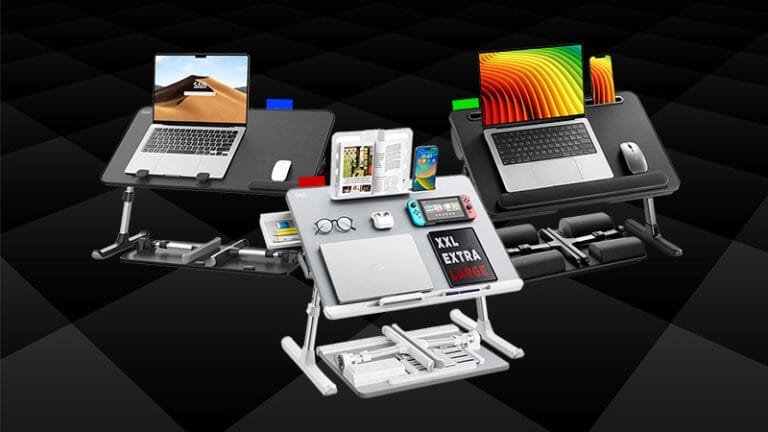
Best Features Multi Purpose Recommended Bed Laptop Table
To enhance your comfort and productivity, please review all the features.
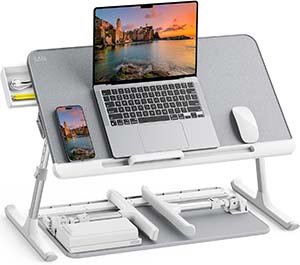
SAIJI Bed Laptop Desk
Explore Top 3 Tables in Budget, Value, and High-End Choices
Benefits of Using Bed Laptop Tables
Improved Posture: Bed laptop tables can help you maintain a neutral spine position, reducing strain on your neck and back.
Adjustable Height: Many bed laptop tables offer adjustable height and angles, allowing you to customize your workstation to fit your needs.
Portability: These tables are designed to be lightweight and easy to move, so you can use them in various locations around your home.
How to Choose the Right Table Solution for Neck and Back Pain relief
Adjustability
Look for a table with adjustable height and angle settings. This feature allows you to position your laptop screen at eye level, reducing neck strain.
Stability and Durability
Ensure the table is sturdy enough to support your laptop and other accessories. High-quality materials and construction contribute to its durability.
Ergonomic Design
Choose a table with ergonomic features such as a wrist rest and ventilation for heat dissipation. These additions enhance comfort and usability.
| Detail | Budget WISE PICK  | Value VALUE PICK  | High-End SMART CHOICE  |
|---|---|---|---|
| Image | 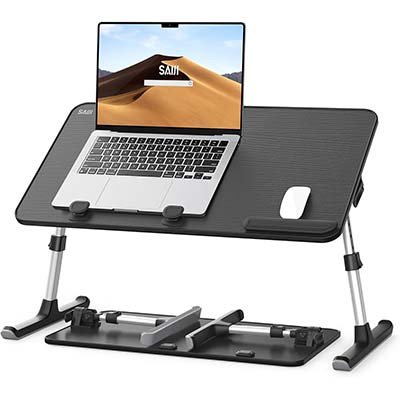 | 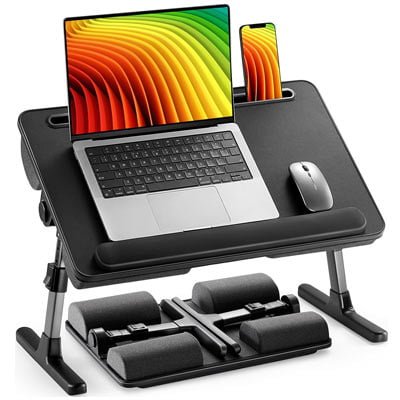 | 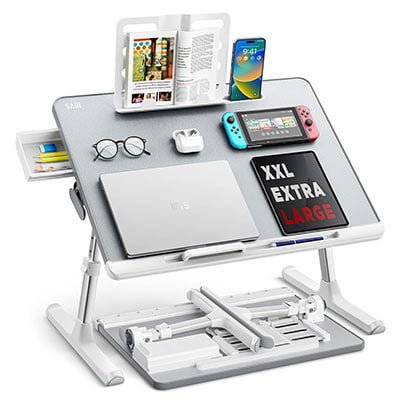 |
| Brand | Laptop Desk for Bed, SAIJI | Laptop Desk for Bed, HUANUO | Table for bed SAIJI 60*45cm |
| Buy | Buy Now | Buy Now | Buy Now |
Setting Up Your Ergonomic Workspace
Positioning the Laptop
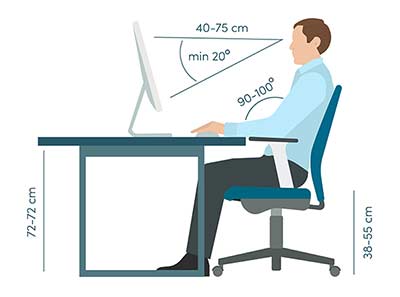
Place your laptop screen at eye level. The top of the screen should be aligned with your eyes to avoid straining your neck.
Maintaining Good Posture
Sit back in your chair with your feet flat on the floor. Your back should be supported by the chair’s backrest, and your knees should be level with your hips.
Additional Ergonomic Tips for Laptop Users
Take Regular Breaks
Stand up, stretch, and move around every 30 to 60 minutes to prevent stiffness and discomfort.
Use an External Keyboard and Mouse
An external keyboard and mouse can help maintain a comfortable typing position and reduce strain on your shoulders and wrists. I never use the touchpad of my laptop during my work. So, you need to have a Bed Laptop Table with enough space to adjust the Mouse easily.
Invest in a Good Chair
A good posture can be maintained with a better chair A chair with proper lumbar support and adjustable features can significantly enhance your comfort while working.
Ergonomic Cushions
In addition, for added comfort, use ergonomic cushions or lumbar support pillows to provide extra back support and comfort while sitting.
Monitor Risers
If you use an external monitor like me, a monitor riser can help position the screen at a comfortable height, complementing your bed laptop table setup.
Conclusion
A best Bed laptop table offer a practical and effective solution for improving posture and alleviating neck and back pain associated with prolonged laptop use. By choosing the right table and setting up an ergonomic workspace, you can significantly enhance your comfort and productivity.